Employee Groups
You can create specific groups for employees and use them in any batches.
You have two ways to make an employee group (manual batch employee group or upload a sheet)
Manual way:
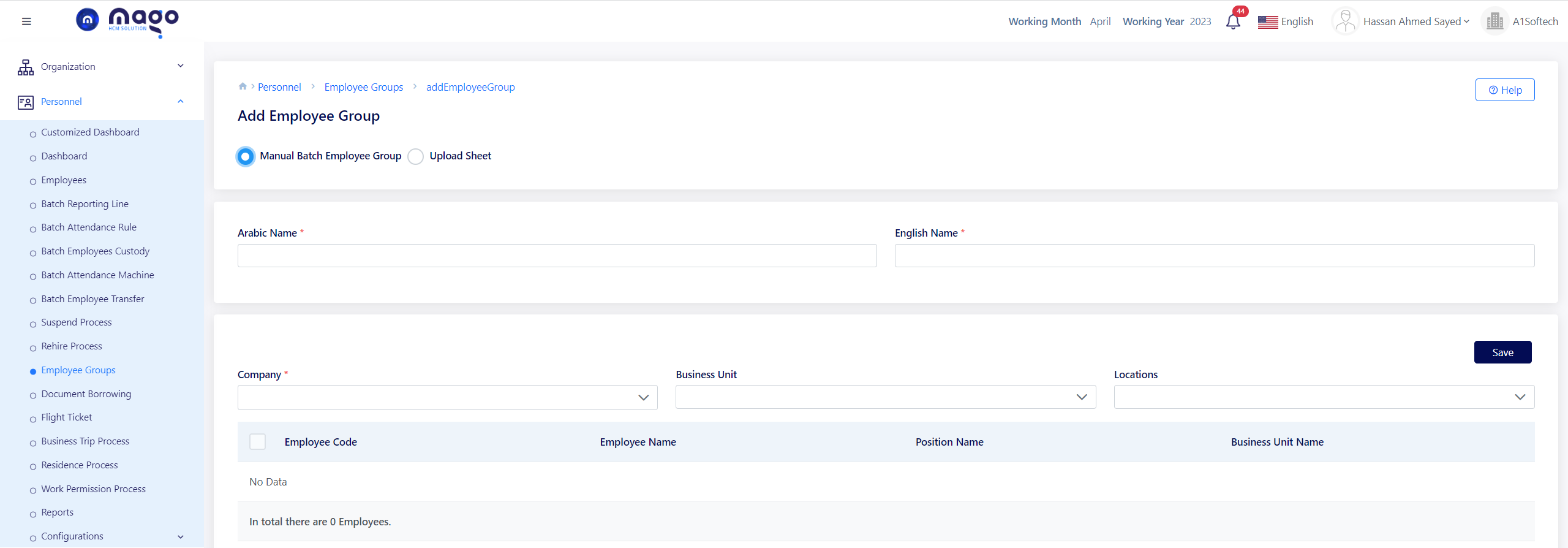
To make batch Employees group in manual way:
- Enter the Arabic and English group name.
- Select the company.
- Select the business unit.
- Select the location.
- Click on the save button to save information.
Upload sheet way.
When you press on the upload sheet button, you need to download a template from this button
 , and upload the template from
 button.