Document Borrowing
You can use this tab when the employee wants to borrow a copy of any of his documents.
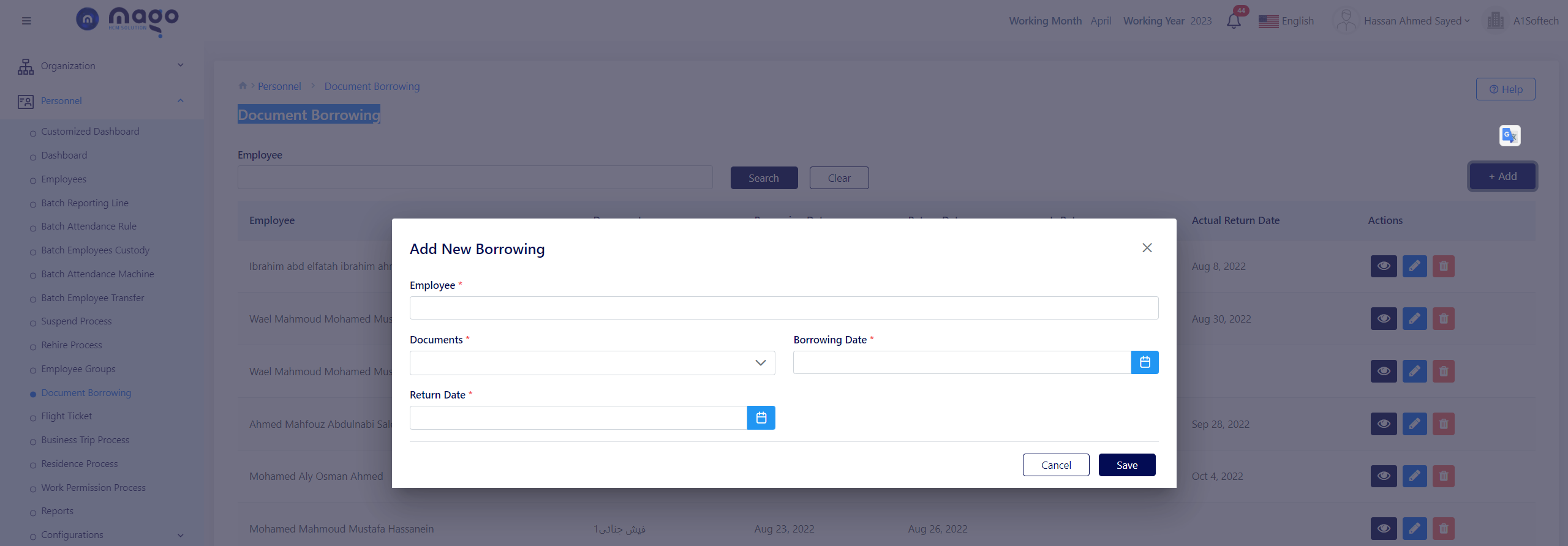
To add new borrowing:
- Enter the employee you want.
- Select the document the employee wants.
- Select the borrowing date.
- Select the return date.
- Click on the save button to save information.

To view any employee document borrowing info, you entered

To edit any employee document borrowing details.

To delete any employee document borrowing details.