General Entities.
By clicking on the screen of the self-service located in the main modules.
On this screen there are general available items or requests.
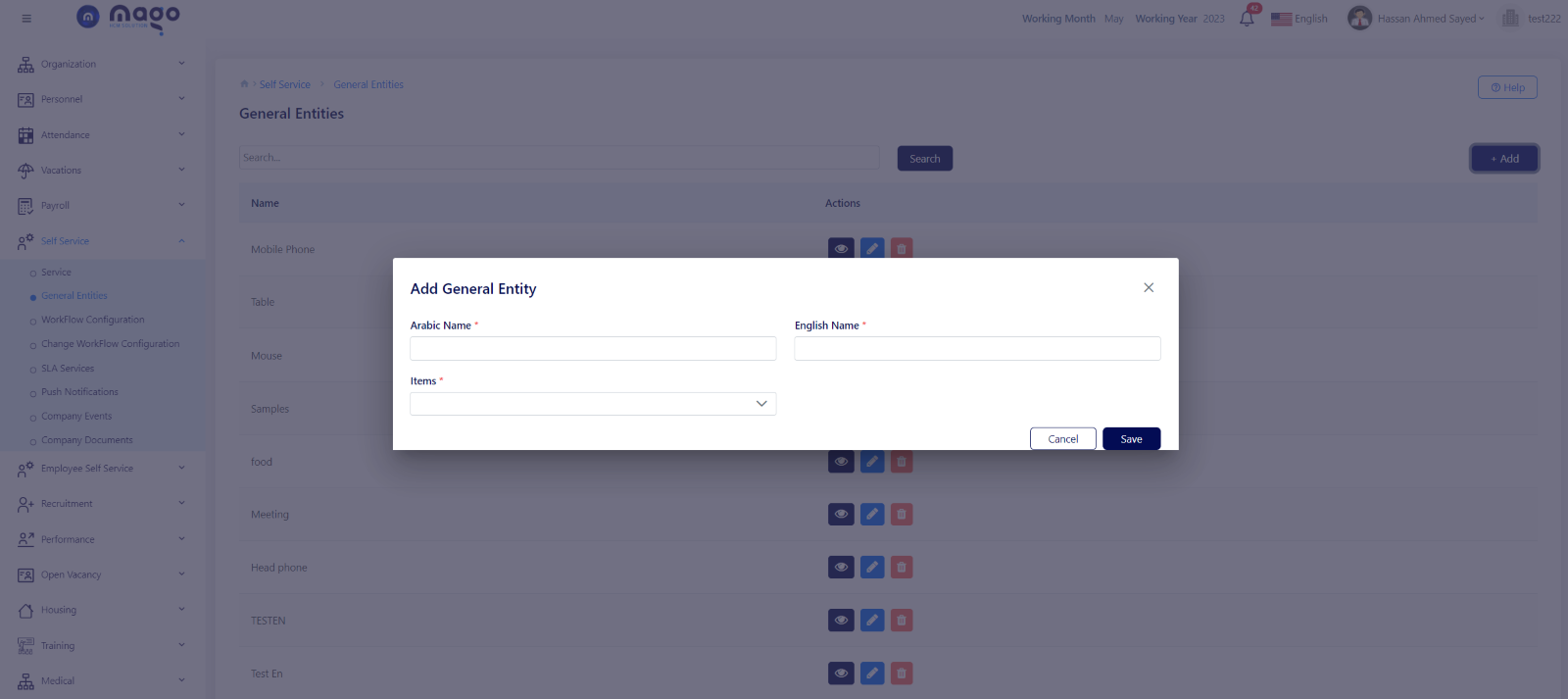
To add entity:
- Enter entity name in Arabic and English.
- Select the required item you want to apply this request like the employee’s name, E-mail, Job title.
- Click on the save button to save information.

To view any entity details, you entered

To edit any entity details.

To delete any entity details.