Residence Process.
This screen is for employees residing in any country, especially the Gulf countries, if they have foreign employees residing for a specific period.
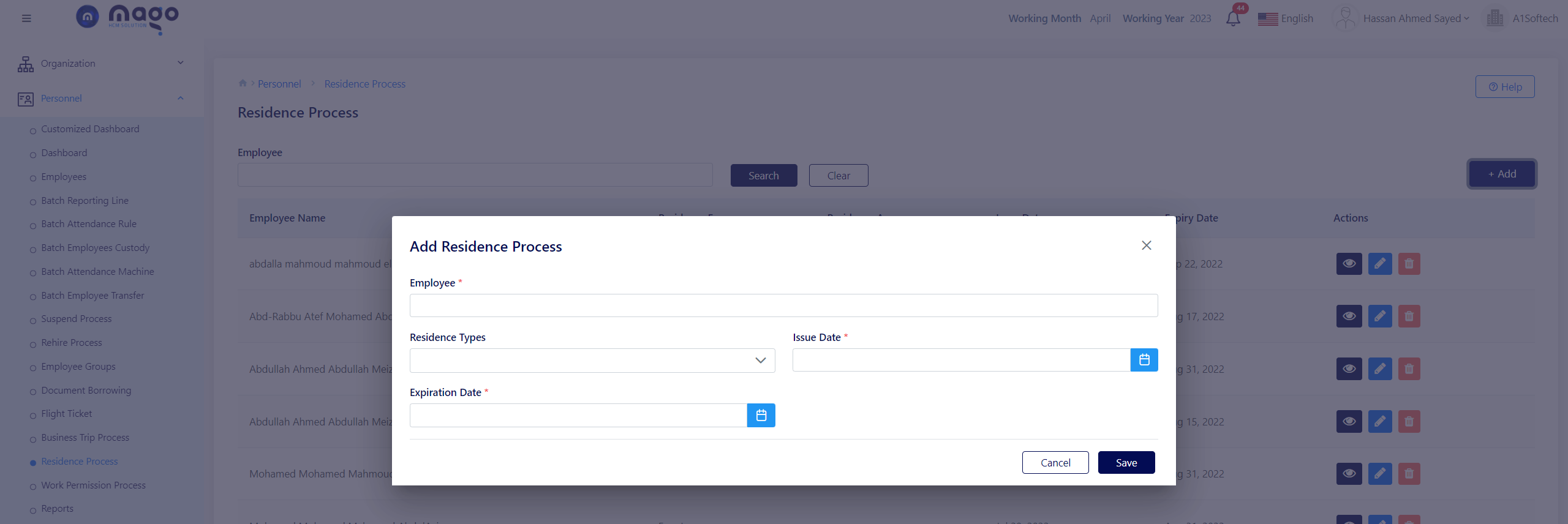
To add residence details:
- Select the residence employee.
- Select the residence type.
- Select the residence issue and expiration date.
- Click on the save button to save information.

To view any employee residence info, you entered

To edit any employee residence details.

To delete any employee residence details.